A first birthday time capsule is a box you fill around the party and open years later, on a birthday such as the 18th. The hardest part to fill is the party itself. Most of the good photos end up on guests’ phones, and you never see them.
This guide covers what to put in the box, how to collect every guest’s photos with a QR code on the table, how to keep those photos private, and how to pack the box so it still opens well when your child is grown. There’s a checklist near the end.
What to put in a first birthday time capsule
Put in things your child will care about at 18: a letter from you, photos from the party and the first year, notes from guests, their height and weight, and the front page from the birthday. Flat paper things keep best. Add a list of what’s inside and the date to open it.
- A letter from each parent. What the year was like, what your child loved, what made you laugh, what you hope for them. One page each is plenty.
- Photos from the party and the year. Print 10 to 20 favourites, including the guests’ photos. Write who is in each one and the date on the back, in soft pencil.
- Notes from guests. A card from each guest with one short prompt to answer. There are prompts below.
- Voices and videos. A grandparent reading a story, a friend’s birthday wish, your child’s first laugh. Keep these as files and put a note in the box saying where they are (more on that in packing).
- Measurements. Height, weight and shoe size at one year, and a hand or foot print on card.
- The day’s front page. A newspaper from the day, or a printout of the news. The Canadian Conservation Institute says that in 90% of cases, a time capsule includes a newspaper from that week or day.
- Firsts and favourites. First word, first steps, favourite food, song and book, the nickname everyone used. A shop receipt from the party shows what things cost.
- Something small from the day. The invitation, the candle, a birthday card.
Leave out anything with batteries, rubber bands and soft plastic toys. The Canadian Conservation Institute’s note says rubbers and plastics have been found to give off acidic vapours, and that batteries should be removed from any device you put in.
How to collect guests’ photos at the party
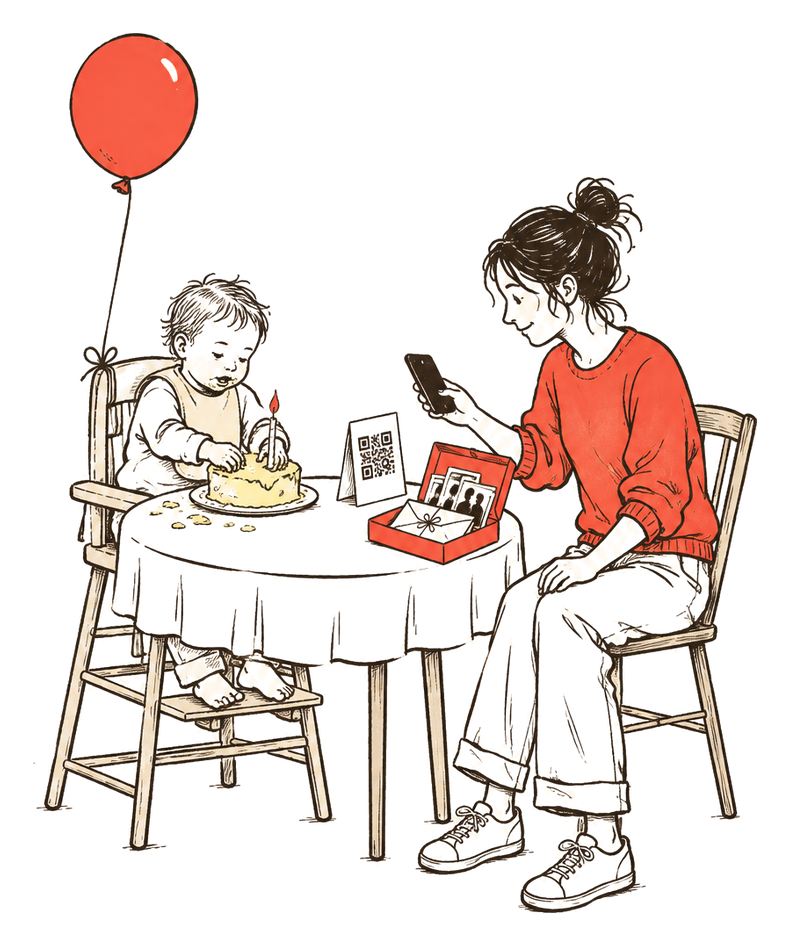
The easiest way is one link that every guest can open on their phone, shown as a QR code on the tables. The link can open a shared album, such as Google Photos or iCloud, or a guest link in a family app. Ask on the day, when the photos are still on top of everyone’s camera roll.
| Way | What guests need | Who sees the photos | Watch out for |
|---|---|---|---|
| QR code to a shared album | A phone camera and the album’s app or website | Everyone with the link sees every photo | The link can be passed on |
| Album link in the invitation or group chat | The link | Everyone with the link | Fewer people add once the party is over |
| Family group chat | The chat app | Everyone in the chat | Photos scroll away, and you save each one by hand |
| A guest link in a family or event app | A browser; often no account | Depends on the app; some show guests only what they added | Check who keeps the photos, and for how long |
A few things make people actually add their photos:
- Say it in the invitation. One line that photos are welcome, where to put them, and that you’d rather they weren’t posted.
- Put the code where people stop. On each table, by the cake and at the door. A card at the cake table gets scanned while everyone has their phone out anyway.
- Ask once, out loud. After the candle, someone says “please add your photos, the code is on the table”. It reaches the guests who didn’t notice the cards.
- Send the link the next day. Some guests only get round to it once they’re home.
Words for the invitation
Take as many photos as you like! There’ll be a QR code on the tables so you can add yours to the birthday album. We’re keeping our little one off social media, so please don’t post them. Thank you!
Words for the table card
Add your photos from today. Scan with your phone camera to open the birthday album. Notes and voice messages are welcome too. Please don’t post photos of the birthday child online.
A message for the day after
Thank you for coming yesterday! If you took any photos, we’d love them for the birthday album: [link]. They’re going into a time capsule we’ll open on the 18th birthday.
How to make a QR code that opens your album
Google Photos makes a QR code for any shared album: open the album, tap Share, then Show QR Code. For an iCloud shared album, copy the album link and turn it into a QR code with Chrome’s Create QR code or any QR generator. Print it at least 5 cm (2 inches) wide and test it with two different phones.
Google Photos
- Make an album for the party and open it.
- Tap Share, then Show QR Code.
- To print it, take a screenshot of the code. Google suggests this for sharing the code offline or printing it.
Google says anyone who scans the QR code can access the shared album, and that anyone with the album’s link can view the photos and add to the album. Our guide to making a shared family album covers the album settings step by step.
iCloud shared album
On iPhone with iOS 27 or later, make a shared album and choose in Sharing Options to share it with a link. To get the link later, open the album, tap Manage Shared Album, then Copy Album Link. Apple says friends and family can then join and add their own photos on the web, and that people on older Apple software have to update their devices or view the album on iCloud.com.
Then turn the link into a QR code. In Chrome on a computer, open the link, select More, then Cast, save, and share, then Create QR code, and click Download. Any QR generator works too. Some free generators make a code that points to their own short link first, which can stop working if that service changes. A code that holds your album link directly doesn’t depend on them.
Print size and placement
Make the code bigger than feels necessary. QRStuff’s sizing table puts a code holding a 72-character link at 42 mm wide to scan from 30 cm away, about the distance from a chair to a table card. It also says a shorter link makes a less dense code that is easier to scan.
- Table cards: 5 cm (2 inches) wide or more, dark on white, with a plain matt finish so the lights don’t reflect off it.
- A sign by the door: much bigger, since people scan it from further away.
- Say what it does. “Scan to add your photos” under the code, and the link written out for anyone whose camera won’t read it.
- Test it before printing them all, with one iPhone and one Android phone, from where a guest would sit.
Ask for notes and voice messages too
Photos show the day; guests’ words are what your child will read at 18. Put cards and pens on a table, each card with one short prompt, and ask a few people, grandparents especially, to record a short voice message on their phone and send it to you. Read the cards that evening and put them straight in the box.
Prompts that get more than “Happy birthday”:
- Something I saw you do today.
- What the world was like the year you turned one.
- What I hope you’ll be doing at 18.
- A song or a book I’d like you to know.
- How I know your family, and how we met.
- One piece of advice for your 18th birthday.
For voice messages, a minute is enough: a grandparent reading the first page of a favourite book, an uncle saying what the party was like. Save each one as a file the same week. Our guide on saving voice messages shows how on iPhone, WhatsApp and Android.
Keep the party photos private
Anyone who has a shared album link can open the album. Decide before the party who should see the photos, ask guests not to post pictures of your child, check what the album shares about location, and turn the link off once you’ve collected everything.
Who can see. Google’s help page says anyone who has the shared link will be able to view the album. In an iCloud album made with iOS 27 or later, you choose in Sharing Options whether people join by invitation and approval or with a link. A photo of the table card posted online shares the code too, so keep the card out of the main shots.
Location. Google says new shared albums and links don’t include location details by default, though people may still guess the place from landmarks. Apple says people you share photos with may be able to see where they were taken; when you share from Photos, tap Options and turn off Location. Our guide on removing location from photos covers every phone.
Posting. Put the ask in the invitation and on the card, as above. Our guide on asking family not to post baby photos has more messages, including one for party guests.
Other people’s children. If a photo shows another guest’s child clearly, ask their parents before it goes into an album that many people can see.
After the party. Download the photos you want for the box first. Then, in Google Photos, open the album, tap More, then Sharing, and turn Link sharing off. To stop new photos while keeping the link, turn off Collaborate in Sharing settings; Google says this applies to everyone, and you can’t stop one person alone.
How to pack a time capsule so it lasts
Keep the box indoors in a cool, dry cupboard, put each kind of thing in its own bag or sleeve, and leave out rubber, batteries and loose electronics. Keep digital copies of the photos, voice messages and videos as well, somewhere you back up, since a memory stick sealed in a box may not open in 18 years.
The U.S. National Archives says a time capsule’s success depends on the container, whether it keeps its seal, the environment inside, and how the things in it break down and react with each other. For a family box, that comes down to a few steps:
- The container. For a time capsule kept indoors, the Canadian Conservation Institute says a sealable polyethylene container is quite adequate on its own. A sturdy keepsake box on a shelf works for a shorter wait.
- Separate everything. The CCI suggests putting each item in its own polyethylene or Mylar bag or box to keep different materials apart. Keep the newspaper away from the photos and letters.
- Where to keep it. The National Archives’ family archives guidance suggests the coolest, driest spot in your home that stays that way all year. It says finished basements are usually too damp for photos unless dehumidified, and that interior closets above ground keep fairly constant temperatures.
- Paper and prints. The CCI’s note, written for capsules sealed for decades, advises against ordinary paper and photographs unless they are of archival quality. For a family box, keep a digital copy of every photo you print, so a faded print is never the only one.
- Digital files. The National Archives says digitised images are no replacement for originals, and that storage media deteriorate and old hardware and software can make files hard to get back. The CCI says a CD only makes sense if a player goes in with it. Keep the files on your computer or a cloud drive, give a copy to another family member, and put a note in the box saying where they are.
- Label it. Write “Open on” and the date on the lid, tape a list of what’s inside to the top, and tell one other person where the box is.
When to open it
Many families choose the 18th birthday, when the child is old enough to read the letters and look after the box. Others choose the 10th, 16th or 21st birthday, or a graduation. Pick one date, write it on the lid, and put a reminder in your calendar and with someone else in the family.
Some families keep adding: a letter and a few photos every birthday, all opened together at 18. If you do, leave room in the box, and keep each year’s things in their own envelope with the year on it.
A first birthday time capsule checklist
Two weeks before
- Choose the box and the date to open it.
- Make the party album or guest link, and its QR code.
- Print table cards with the code, a line saying what it does and the link written out.
- Add a line about photos to the invitation.
- Buy cards and pens for guests’ notes.
- Write your letter, or at least start it.
On the day
- Put a QR card on each table, by the cake and at the door.
- Set out the note cards with prompts.
- Ask once, after the candle, for everyone’s photos.
- Ask a grandparent or two for a short voice message.
- Measure your child, and take a hand or foot print.
- Keep the newspaper, the invitation and the candle.
The week after
- Send the album link once more to everyone who came.
- Save voice messages and videos as files.
- Download the photos and choose 10 to 20 to print.
- Turn off the album link once everything is in.
Packing the box
- Each item in its own bag or sleeve.
- No rubber bands, batteries or soft plastic.
- A list of the contents, and where the digital files are kept.
- “Open on” and the date on the lid.
- Stored indoors, in a cool and dry cupboard.
How TinyThen helps
TinyThen is a private family photo sharing app for parents of babies and young children. It isn’t open yet. Each album can have its own guest link with a QR code: tap Show QR for guests to show it full screen at the party, or print it.
Guests open it in their browser, with no app and no account, give their name and how they know you, and add photos, videos, a voice recording or a few written words. They only ever see what they added.
With You approve first on, everything waits in To review until you add it, and each photo lands in your child’s timeline on the day it was taken, when the photo records it. After the party, pause the link or give it a new address, and the printed code stops letting people add. When it’s time to fill the box, Download everything gives you the original files, in folders by month.
Questions
What do you put in a first birthday time capsule?
A letter from each parent, printed photos from the party and the first year, notes from guests, your child’s height, weight and a hand print, and the day’s front page. Add a list of firsts and favourites, a small keepsake such as the candle, and a note of where the digital photos and voice messages are kept.
When do you open a first birthday time capsule?
Many families choose the 18th birthday. Others pick the 10th, 16th or 21st, or a graduation. Write the date on the lid and set a reminder that someone else in the family also knows about.
How do I get guests to share their party photos?
Give them one link as a QR code on the tables, mention it in the invitation, ask once out loud during the party, and send the link again the next day. A shared album in Google Photos or iCloud works, and so does a guest link in a family app.
Can guests add photos without an app?
Often, yes. Apple says family can join an iCloud shared album made with iOS 27 or later and add photos on the web. Google says anyone with a Google Photos album’s link can view it and add to it. Many guest links in family and event apps open in the browser.
How big should a QR code be on a table card?
At least 5 cm (2 inches) wide, dark on white. QRStuff’s sizing table puts a code holding a 72-character link at 42 mm to scan from 30 cm, and a shorter link makes an easier code. Test it with an iPhone and an Android phone before printing.
Is a QR code to our photos safe on the table?
Anyone who scans it can open what it links to, so choose where it leads. A shared album shows every photo in it to anyone with the link, while a guest link that only lets people add keeps the rest private. Keep the card out of photos that might be posted, and turn the link off once the party is over.
Should I put a USB stick in the time capsule?
You can, but don’t rely on it. The National Archives says storage media deteriorate and old hardware can make files hard to get back. Keep the files on your computer or a cloud drive, give a copy to family, and put a note in the box saying where they are.
Sources
- Google Photos Help: Share photos & videos (Android)
- Google Photos Help: Stop sharing an album & manage settings
- Google Photos Help: How Google Photos protects your location data
- Apple Support: How to use Shared Albums in Photos on your iPhone, iPad, or Apple Vision Pro
- Apple Personal Safety User Guide: Manage location metadata in Photos
- Google Chrome Help: Share tabs in Chrome (computer)
- QRStuff: QR Code Minimum Size (2026)
- Canadian Conservation Institute: Time Capsules, CCI Notes 1/6
- U.S. National Archives: Time Capsules
- U.S. National Archives: Family Archives, General Guidance