




Skip to content

Feature

Their height and weight over time, on a chart of their own.

Add your child’s height and weight now and then, after a checkup or against the doorframe, with a photo from the same day if you like. TinyThen draws their own measurements on two simple charts and lists each one with their age that day. It is a record of your child alone, with no percentiles, and only parents see it unless they share it.

A child’s growth in TinyThen: Height at 84.5 cm and Weight at 11.4 kg at 1 year 9 months, each a line of his own measurements from birth, with a switch between cm and kg or in and lb.

When it helps

Small numbers you’ll be glad you kept.

  • A toddler in a winter coat and a mustard bobble hat laughs on a park swing.

    A photo from the day

    Pick a photo from the same day, and each measurement shows how they looked.

  • A baby in a white T-shirt takes wobbly steps toward his laughing mother’s open arms in a living room.

    Measured at home

    Stood against the doorframe after first steps? Add the height alone.

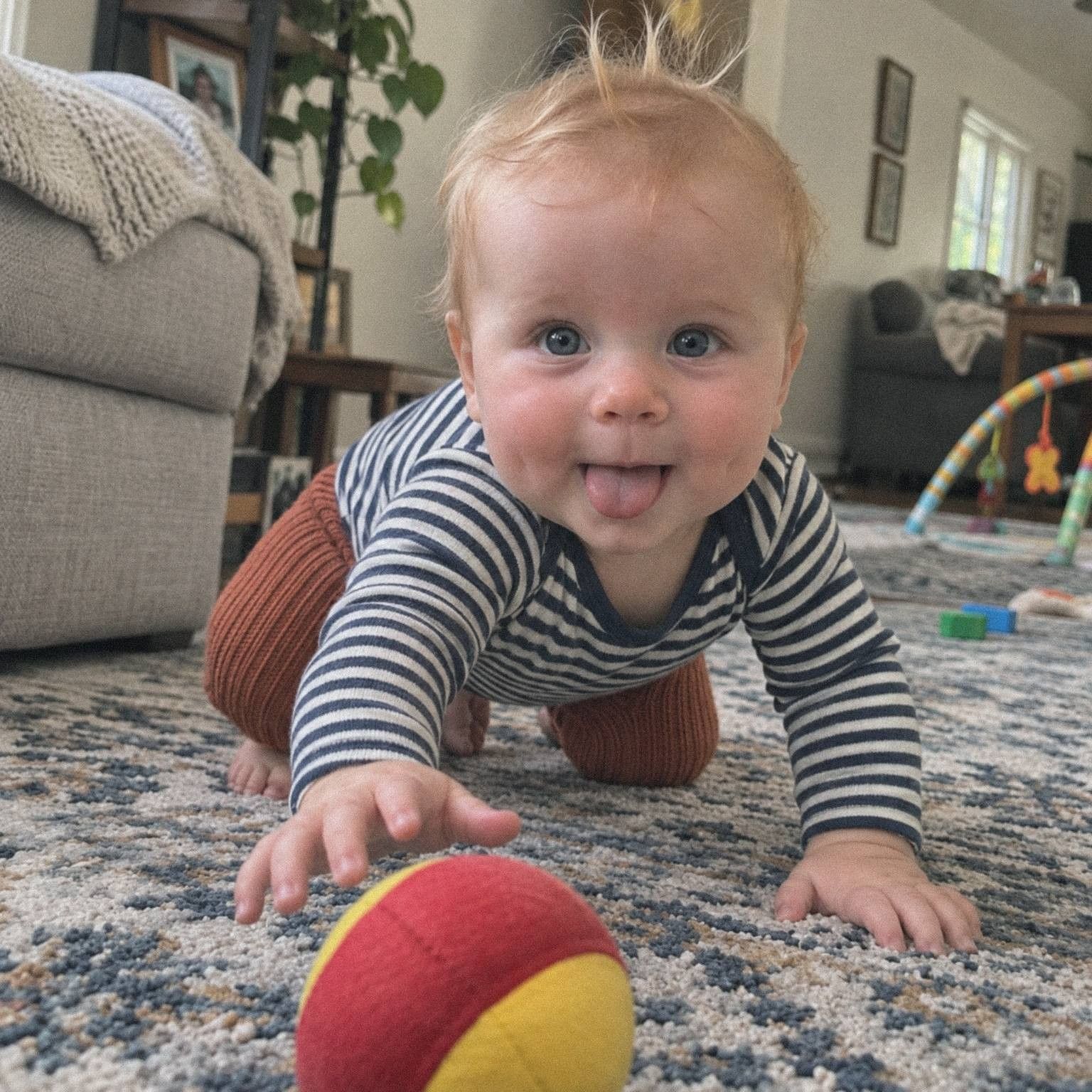
  • A baby in a striped top crawls across a rug toward a red and yellow ball, tongue out.

    The fastest months

    In the first year the chart fills quickly, and each point keeps their age.

How it works

Add a measurement, watch the chart grow, share it if you like.

  1. Open their growth

    In Albums, tap your child’s growth, beside their Firsts.

  2. Add a measurement

    Choose the date, then type a height, a weight or both, and pick a photo from that day if you like.

  3. Watch the line grow

    Each one joins the Height and Weight charts and the list below, with their age that day.

  4. Share it if you like

    Growth stays with parents. To show it to a grandparent, open Family, tap them and turn on Growth.

In the app

Add it, see it, share it if you like.

  1. Add a measurement: 3 February 2026, height 76 cm, weight 9.7 kg, and a photo from the swing that February chosen.
    You, adding a measurementThe date, a height and a weight in your units, and a photo from that day.
  2. A list of measurements from 84.5 cm and 11.4 kg at 1 year 9 months back to 9 months, some with a photo.
    Every measurement, listedNewest first, each with the date, their age that day and its photo.
  3. A grandmother’s access in Family, with the Growth switch turned on below what she can see.
    Shared with GrandmaGrowth stays with parents until you switch it on for someone.

What to know

What to know about growth.

  • Private to parents

    Only parents see growth until they switch it on for someone in Family. Guests and viewing links never see it.

  • Only their own numbers

    The charts show your child’s own measurements. There are no percentiles and no comparison with growth standards.

  • Their age on each one

    Each measurement shows their age on its date. The charts count months along the bottom until two, then years.

  • Centimetres or inches

    Use cm and kg, or feet, inches, pounds and ounces. Switch at any time; the values never shift.

  • A photo from that day

    Choose one of their photos from the same day. Delete the measurement, and the photo stays in their memories.

  • One chart per child

    Each child has their own growth page, with Height and Weight charts of their own numbers.

  • Earlier checkups too

    Pick any date from the birthday to today, and older numbers land in order with their age.

  • In your full download

    Download everything includes a growth file with every date, age, height and weight.

In detail

How growth works, number by number.

Adding and correcting measurements, the charts, units, and exactly who can see your child’s numbers.

Adding a measurement

Open Albums and tap your child’s growth, beside their Firsts. Tap Add a measurement, or Add once there is one. Choose the Date, type a Height, a Weight or both, and tap Add.

The date can be any day from your child’s birthday to today, so numbers from a health record or earlier checkups can go in too. Each measurement keeps your child’s age on that day. Heights are kept to the millimetre and weights to the gram. To correct one, tap it in the list, change it and tap Save.

Three checkups from a notebook, copied in: they land as the first of Leo’s 9 measurements, newborn to 4 months, between his birthday on 2 Feb 2025 and today, 12 Nov 2026.

The two charts

The growth page shows a Height chart and a Weight chart. Each draws a line through your child’s own measurements in date order. A chart only uses the measurements that have its value, so a weight on its own adds a point to Weight and leaves Height as it was. Along the bottom, the charts count from birth in months until two, then in years.

Below the charts, Measurements lists every one, newest first, with the date, your child’s age that day and its photo.

A weight on its own, 8.2 kg at 7 months, adds a point to the Weight chart and leaves the Height chart as it was.

Centimetres or inches

At the top of the growth page, choose cm, kg or in, lb. Until you choose, TinyThen follows the region your browser is set to. In inches, a height under 3 feet reads as inches alone, like 29.5 in, and a taller one as feet and inches, like 3 ft 4.5 in. Weights under 40 pounds read as pounds and ounces, like 21 lb 12 oz.

Switching units only changes how the numbers are shown. Your choice is saved on your account, and everyone else in the family chooses their own.

With in, lb chosen, Leo’s height reads 33.3 in and his weight 25 lb 2.1 oz; from 3 ft heights read like 3 ft 4.5 in, and from 40 lb weights like 52.4 lb.

Who sees growth

Growth starts private to parents. Only parents add, correct and delete measurements. To share it, open Family, tap the person and turn on Growth, below Can see and Download originals. They then see the charts and the list for the children they can see, and cannot change anything.

The switch appears for people who see all your children or chosen children. Someone who sees only some albums cannot get it. Guests and viewing links never see growth. Until a parent adds a measurement, only parents see the growth card in Albums.

Parents add and correct; Nana and Ben have a Growth switch, on for Nana; May with one album, viewing links and guest links never see growth.

More than one child, and your records

Each child has their own growth page and charts, so brothers and sisters each get a line of their own. A child can have up to 1,000 measurements, enough for a weekly weigh-in for many years.

With Download everything, parents get a file called growth.csv with each date, your child’s age that day, the height in centimetres and the weight in kilograms. It opens in any spreadsheet app, so the record stays yours outside TinyThen too.

growth.csv open as a spreadsheet: date, age, height_cm and weight_kg for each of Leo’s measurements, oldest first.

A photo from that day

Under Photo from that day, TinyThen offers the photos of your child dated the same day as the measurement. Pick one, or leave No photo. When there are none, it says so, and you can change the date or add the measurement without a photo.

The photo shows beside the measurement in the list, so you can see how your child looked at each size. Someone you share growth with sees the photo only if they can already see it in your child’s memories. Deleting a measurement never deletes the photo.

Their own numbers, without percentiles

TinyThen does not draw WHO or CDC growth curves, show percentiles or say whether a number is typical. The charts are a record of your child alone, and the page says so under the list.

What you get is a tidy, dated history of every height and weight, easy to scroll through at a checkup. Questions about how your child is growing are for their doctor or health visitor.

Questions

Questions

Something else? Write to hello@tinythen.com.

Does TinyThen show percentiles or growth charts from the WHO or CDC?

No. TinyThen draws only your child’s own measurements over time. It doesn’t use WHO or CDC growth standards, show percentiles or say whether a measurement is typical. Questions about your child’s growth are for their doctor or health visitor.

What can I record?

Height and weight, with the date. Each measurement can have a height, a weight or both, and a photo of your child from that day. Head circumference isn’t recorded.

Who can see my child’s growth?

Parents. You can switch on Growth for someone in Family who sees all your children or chosen children, and they then see the growth of the children they see. It can’t be shared through albums, guest links or viewing links. Track growth shows where the switch is.

Can family add measurements?

No. Only parents add, correct and delete measurements. People you share growth with can look at the charts and the list.

Can I use feet, inches and pounds?

Yes. TinyThen starts with the units used where you are, and you can switch between cm and kg and in and lb on the growth page. Your choice is kept for you, and other people choose their own.

What happens to the photo if I delete a measurement?

Nothing. The measurement is removed from your child’s growth for everyone, and the photo stays in their memories.

Can I keep growth for each of my children?

Yes. Each child has their own growth page in Albums, with their own charts and list. Sharing growth with someone shows them the growth of the children they can see.

Is growth in Download everything?

Yes. The download includes growth.csv, with each date, your child’s age that day, the height in centimetres and the weight in kilograms.

Can I add measurements from before we joined?

Yes. Pick any date from your child’s birthday to today, so you can copy in the numbers from earlier checkups. Each one lands in order with their age on that day.

Keep reading

Start their story with the family.

Join the waitlist for 20% off your first year. We’ll write once, when the 30-day trial is ready for your family.

TinyThen is in development. We’ll email once to confirm and send your code, then only when the trial is ready. Leave any time.