


Skip to content

Feature

Written memories and letters for your child, in seven styles.

Some things only fit in words: what your child said at breakfast, how the first steps went, a letter for them to read one day. Write it in a style that suits it, from a plain note to a letter in an envelope, and tap Speak when typing is too slow. Each one sits in your child’s timeline with their age that day.

Writing a memory in the Letter style, with a Speak button and the strip of seven styles: Note, Quote, Notebook, Letter, Postcard, Milestone and Wish.

When it helps

The parts a photo can’t hold.

  • A baby in a white T-shirt takes wobbly steps toward his laughing mother’s open arms in a living room.

    First steps, written down

    Write it as a Milestone that night: how many steps, and who was there to catch.

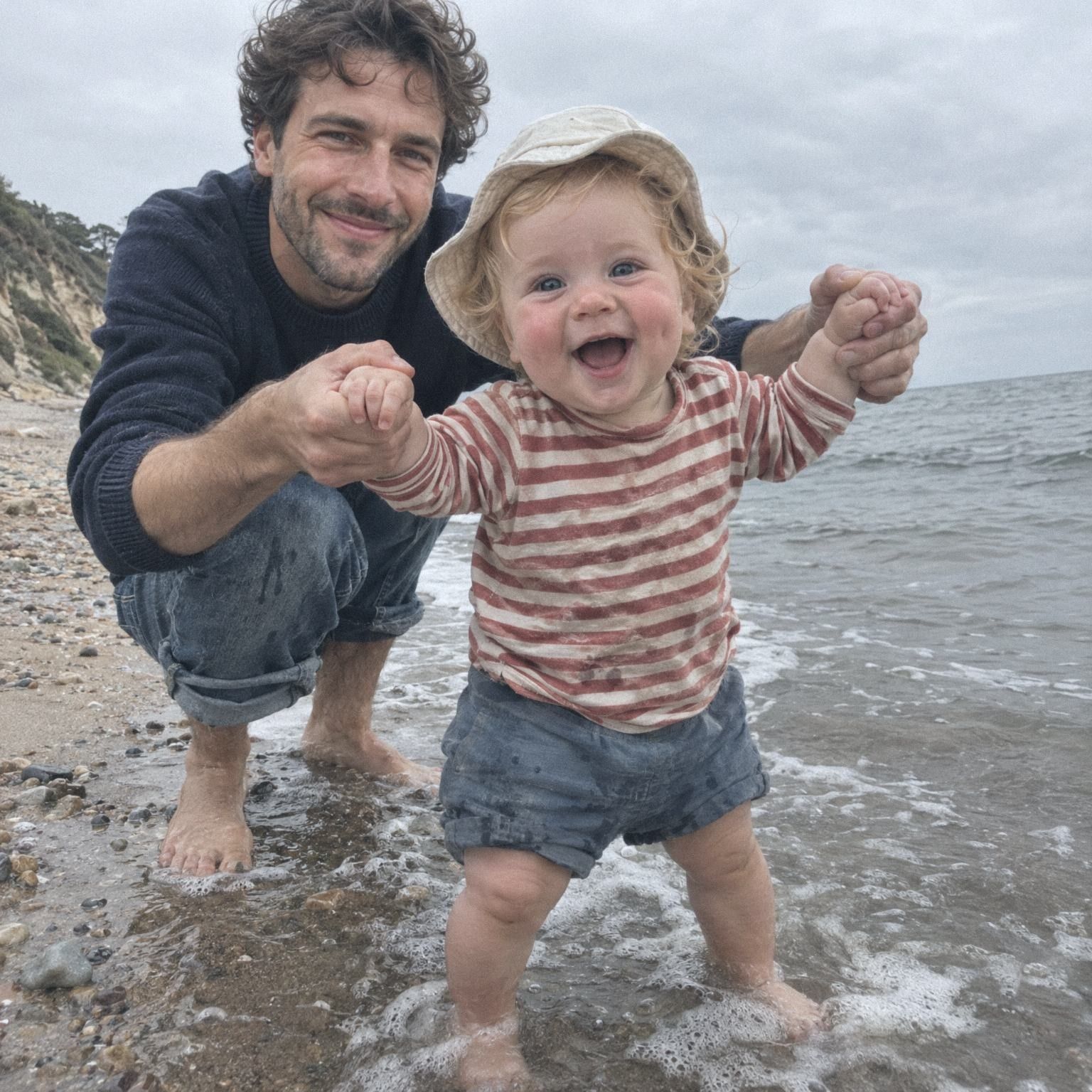
  • A father crouches in the waves and holds a laughing toddler’s hands at the edge of the sea.

    A postcard from the sea

    A few lines in the Postcard style about the first waves, and how he kicked at each one.

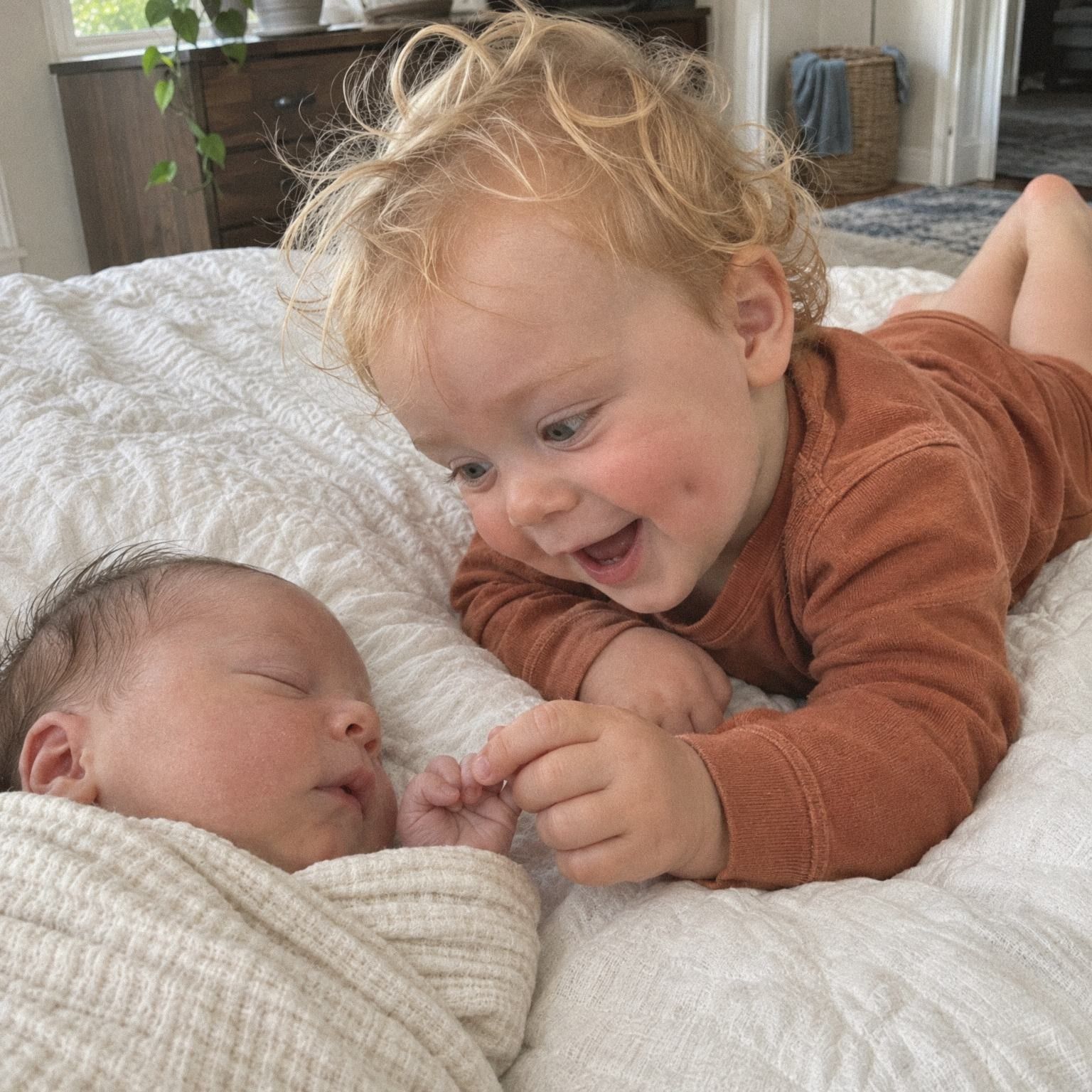
  • A curly-haired toddler lies on a bed beside a sleeping newborn and holds the baby’s tiny hand.

    A letter for one day

    Write about their first weeks as brothers as a Letter, for both children to read.

How it works

Four steps to a written memory.

  1. Choose Write

    Tap + and choose Write. The page you type on is how the memory will look in the timeline.

  2. Pick a style

    Seven styles, from a plain Note to a Letter. TinyThen may suggest one from your words, and never changes it for you.

  3. Type it, or say it

    Type, or tap Speak and talk. Your words come back as text you can change before you add the memory.

  4. Set the day and add it

    Keep today’s date, or choose Other day for something that happened earlier. With more than one child, pick who it’s about. Then tap Add memory.

In the app

Pick a look, then type or speak.

  1. Writing a memory in the Quote style on peach, with six colours to choose from, the hint Best for something the child said, and the strip of seven styles.
    Quote, for what they saidSomething your child said, large on one of six colours. The hint says what each style is for.
  2. Writing a Note while Speak records, 9 seconds in, with Cancel and Stop under the page.
    Note, spoken with SpeakTap Speak and talk; your words appear as you go. Tap Stop and they’re on the page for you to check.
  3. A child’s memories for one month, with their age, a photo, a written note and a voice note.
    In your child’s timelineWritten memories sit in their month beside the photos, with your child’s age that day.

What to know

The details parents ask about.

  • Seven styles for words

    Note, Quote, Notebook, Letter, Postcard, Milestone and Wish. Each is a whole look, and your words stay as text.

  • A suggestion, never a change

    Start with Dear and Letter is suggested; quotation marks suggest Quote. The style changes only when you choose it.

  • Colours for Note and Quote

    Note can be plain or one of six soft tints. Quote comes in six colours. The other styles have one look each.

  • Milestone names the first

    Mark a written memory as a first, like First word, and the Milestone style shows the first’s name.

  • Speak keeps only words

    What you say goes to OpenAI as you talk and comes back as words. TinyThen keeps the text, never the recording.

  • Family can write too

    People you let add memories can write and use Speak, and so can guests on a guest link, with your approval if you want it.

  • Their age, written in

    Quote signs the words with your child’s age that day, and Milestone writes it in handwriting, such as at 11 months.

  • Always real text

    However it looks, a written memory stays text you can select, zoom and hear with a screen reader.

In detail

Every style, and what each one is for.

How the seven styles look, how Speak works, and who can write and read a written memory.

Note, Quote and Notebook

Note is the plain default, for everyday moments of any length. Press Enter after the first line and that line becomes the note’s title. A note can stay plain or take one of six soft tints: Cream, Blush, Sky, Sage, Butter or Sand.

Quote is for something your child said. The words are set large on one of six colours (Peach, Butter, Sky, Mint, Lilac or Sand) and signed with your child’s name and age that day. Notebook looks like lined paper with a margin and the date at the top, for a quick jotted-down moment.

Three written memories: a Note on Sage with its title, a Quote on Peach signed Leo at 1 year 5 months, and a lined Notebook page dated Wednesday 14 October, with the six tints for Note and Quote.

Letter and Postcard

Letter is for something your child reads one day. In the timeline it shows as a closed envelope with a stamp, addressed to your child, so the words only show when someone opens it. Opened, it reads as a letter with the date at the top. A greeting such as Dear sits in handwriting, and so does a short closing line.

Postcard suits a short note from a trip or a day out. It has a stamp, a postmark with the date and your child’s name as the address. When you open it, tap Turn over to flip it like a real card.

A sealed envelope addressed To Brooks, opened into a letter dated 9 September 2026 that starts Dear Brooks and ends Love, Mum, and a postcard to Leo postmarked 9 May 2026 with Turn over.

Milestone and Wish

Milestone is for a first. The first line becomes a large headline, a few words underneath are optional, and your child’s age is written below in handwriting, such as at 11 months. Mark the memory as a first and the small label above the headline names it, such as First steps, instead of a plain First. Opening it sets off a little confetti.

Wish is for hopes and bedtime thoughts, in soft italic type on a calm background. In dark mode, long letters and notebooks switch to darker paper, so they are easy to read at night.

A Milestone marked First steps: the headline Three steps, straight to Mum, a line underneath and at 11 months in handwriting, with confetti, beside a Wish in soft italic.

A suggested style, never a change

As you type, TinyThen may mark one style in the strip as Suggested. Words that start with First suggest Milestone. A greeting like Dear, or more than 600 characters, suggests Letter. Quotation marks, or the word said, suggest Quote.

The suggestion is only a label. The style changes when you tap one yourself, and never while you type. Your words always stay real text, so they can be selected, zoomed and read aloud by a screen reader. To change the look later, edit the memory and pick another style. The words stay the same, and the new style starts on its own default colour.

Words that start with First while Note stays chosen and Milestone is marked Suggested in the strip of seven styles, with the three rules: First suggests Milestone, Dear or over 600 characters Letter, quotation marks or said Quote.

Other ways in, and keeping a copy

You can also write by email. Reply to an update email from TinyThen with a few words, and they become a written memory of the children the email was about. An answer to a journal question made with Write shows the question above it as its title.

With Download everything, each written memory is saved as a text file. It holds the question it answered, if any, then the words, who wrote them and the date. The style of each one is listed in the index file.

A downloaded text file in the 2026, 11 November folder holding the journal question, the answer, and who wrote it on 8 November 2026, and the index file listing its type, question and style.

Speak instead of typing

Tap Speak beside the text and start talking. Your words appear on the page as you go. Tap Stop and they land in the field, where you can change anything before you add the memory. Cancel throws them away.

What you say goes to OpenAI as you talk, to be turned into text. TinyThen keeps the words and never stores the recording. Speak shows while Speech to text is on in Family settings, in browsers that support it. If someone uses up the day’s dictation, the app tells them, and they can type instead or try again tomorrow. Speak works for captions and journal question answers too.

Length, dates and editing

A written memory can be up to 20,000 characters, which is several pages. It takes today’s date unless you choose Other day, so you can write about last summer and place it there. It then sits in that month of the timeline with your child’s age on that day.

Parents can edit any written memory: the words, the date or the style. Family members can edit what they wrote until a parent reviews or edits it. Parents can move a memory to the trash and restore it from Recently deleted for 30 days.

Who can write, and who reads it

Parents can write for any child. Family you let add memories can write too, and so can guests on a guest link. If someone’s additions wait for your approval, their written memories wait in To review with the rest.

A written memory can be about one child or several, and it shows in each of their timelines. It is read by the people who can see those children’s memories. Words show exactly as written, so a name you type is seen by everyone who can see the memory.

Questions

Questions

Something else? Write to hello@tinythen.com.

What are the written memory styles?

Note is the plain default. Quote is for something your child said, on one of six colours. Notebook is lined paper for a quick note. Letter shows as an envelope addressed to your child. Postcard suits a day out, Milestone a first, and Wish hopes and bedtime thoughts.

Where does my voice go when I tap Speak?

What you say goes to OpenAI’s speech service as you talk, and the words appear on the page. TinyThen doesn’t store the recording, and you can change the text before you add it. Parents can turn Speak off for the whole family with Speech to text in Family settings, which also stops the words being written down under voice notes.

Can I change the style later?

Yes. Edit the memory and choose another style. Your words stay as they are; only the look changes.

How long can a written memory be?

Up to 20,000 characters, which is several pages. Long ones suit the Letter style.

Can I use Speak for captions too?

Yes. Captions have Speak while you add photos and videos, and so does a written memory when you edit it.

Can I write a memory by email?

Yes. Reply to an update email from TinyThen with a few words, and they become a written memory of the children the email was about. Reply to add memories explains how.

What if I don’t know what to write?

Let a question start you off. Journal questions ask you one question about each child, chosen for their age, and tapping Write turns your answer into a written memory with the question as its title.

Can I download what we wrote?

Yes. Parents can download a child’s whole timeline as originals by date, with written memories and captions as text.

Who can read a written memory?

The people who can see that child’s memories, like any photo. Words show exactly as written, so a name you type is seen by everyone who can see the memory.

Keep reading

  • Feature

    Voice notes for later

    Record a voice note on its own, or on a photo or video, up to five minutes.

  • Feature

    Firsts for each child

    Mark a first on any memory, and each child’s firsts gather in one list.

  • Feature

    Books from memories

    Turn a year, their firsts or an album into a digital book to read and share.

Start their story with the family.

Join the waitlist for 20% off your first year. We’ll write once, when the 30-day trial is ready for your family.

TinyThen is in development. We’ll email once to confirm and send your code, then only when the trial is ready. Leave any time.